Headphones That Do Not Hurt After Long Calls: Fit Details That Matter
Choose headphones that stay comfortable through long calls by checking clamp force, cushion material, ear cup size, headband padding, heat build-up and mic placement before buying.

Headphones That Do Not Hurt After Long Calls: Fit Details To Check
A long call begins with hope. The headphones feel fine, the tea sits nearby, and the calendar looks almost manageable. Then, after forty minutes, a familiar drama begins. One ear feels hot. The headband presses like a strict school teacher. The jaw feels tight. By the end, the meeting may close, but the discomfort stays behind like an unpaid electricity bill. Many people blame their ears. Some blame screen time. Quite often, the real culprit sits quietly on the head. Headphones that suit a quick song during a metro ride may not suit a two-hour client review, a coaching class, a coding sprint, or a late-night catch-up with cousins abroad. Comfort comes from small fit details, not fancy marketing words. Cushion depth, clamp force, ear cup shape, cable weight, and even spectacles can change the whole experience.
Headphones That Do Not Hurt After Long Calls: Fit Details To Check; Photo Credit: Pexels
Key Fit Details That Decide Long-Call Comfort
Clamp Force Should Feel Like A Gentle Handshake
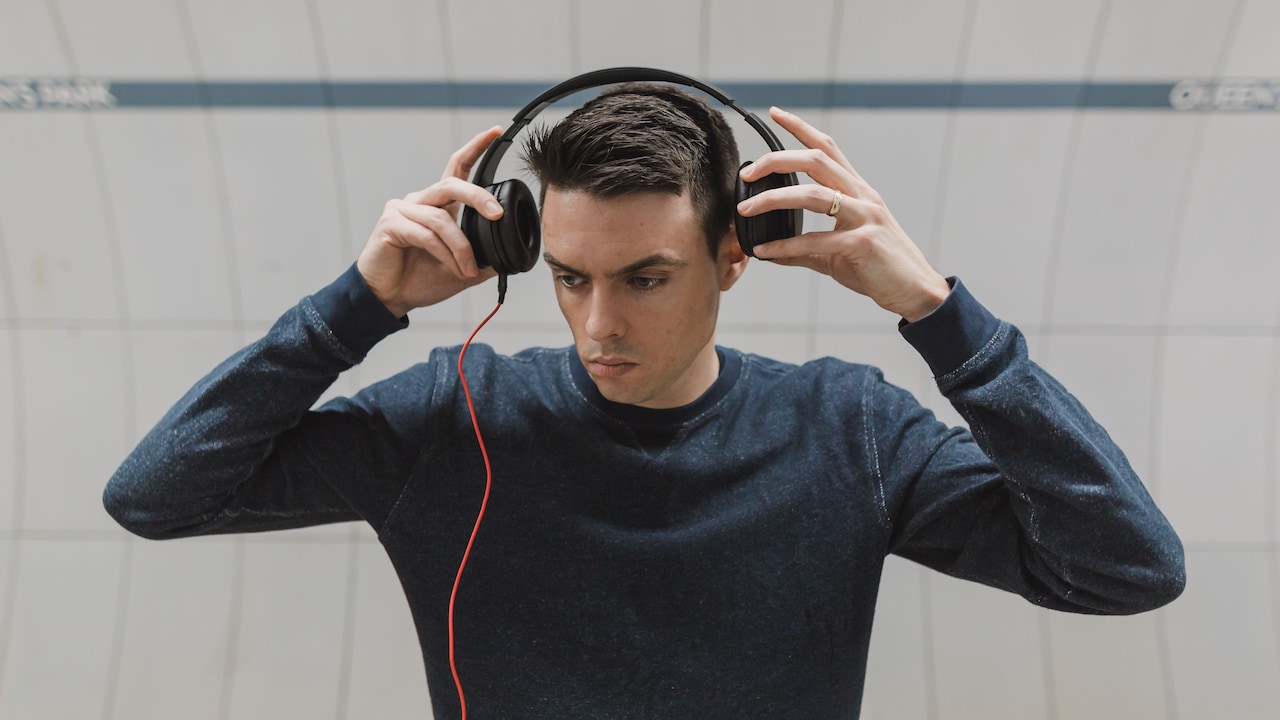
Clamp force decides how tightly headphones hold the head. Too loose, and they slide every time you nod during a meeting. Too tight, and they squeeze the skull like a helmet borrowed from someone smaller. The best clamp force feels like a gentle handshake: present, secure, but never bossy.
This detail matters more during long calls because pressure builds slowly. A headset may feel fine at the shop counter or during a five-minute test. After ninety minutes, that same pressure can create soreness around the temples, ears, and jaw. People who wear spectacles notice this even faster, as the arms of the glasses press between the cushion and skin.
Before buying, try the headphones for at least ten minutes. Move the head, speak naturally, and check whether the cups dig into the sides. For online purchases, read comfort comments carefully, not only star ratings. A model that “sounds amazing” but “feels tight” can turn every Monday call into a wrestling match.
Also Read: These Premium Bluetooth Headphones Under ₹30,000 Are Everything You Are Looking For
Ear Cups Need Room To Breathe
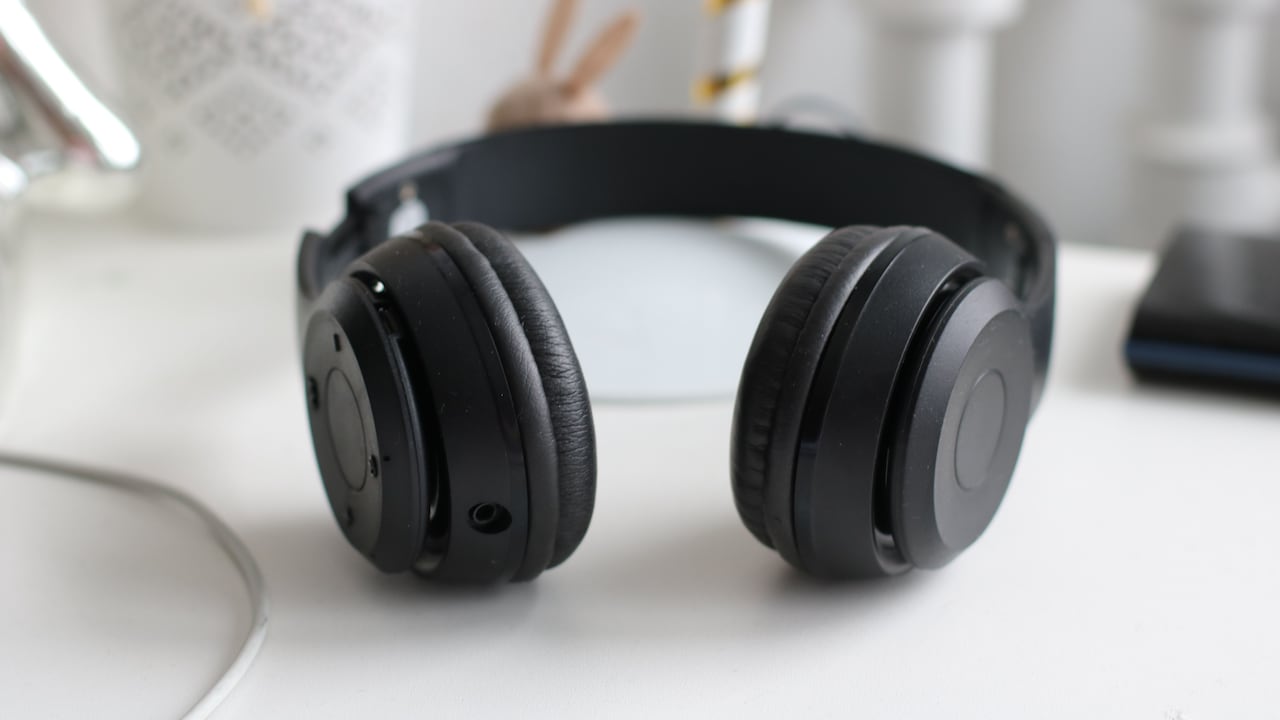
Ear cup size can make or break comfort. Many over-ear headphones call themselves spacious, yet the cups still press the ear edges. That slight touch may seem harmless at first. During a long call, it creates heat, friction, and that annoying feeling of wanting to adjust the headset every few minutes.
A good over-ear design surrounds the ear instead of sitting on it. The ear should rest inside the cup without folding or rubbing. This matters for people who spend hours in online meetings, language classes, customer support work, or gaming chats. Once the ear gets trapped against foam, comfort disappears quickly.
Look for oval or roomy ear cups if your ears feel cramped in round designs. Deeper cups also help because the ear does not touch the speaker fabric. This tiny gap reduces pressure and improves airflow. In a hot city afternoon, that gap feels less like luxury and more like basic kindness. A headphone can have powerful drivers and still fail if the ears feel packed like tiffin in a crowded bag.
Headphones That Do Not Hurt After Long Calls: Fit Details To Check; Photo Credit: Pexels
Cushion Material Can Save Your Ears
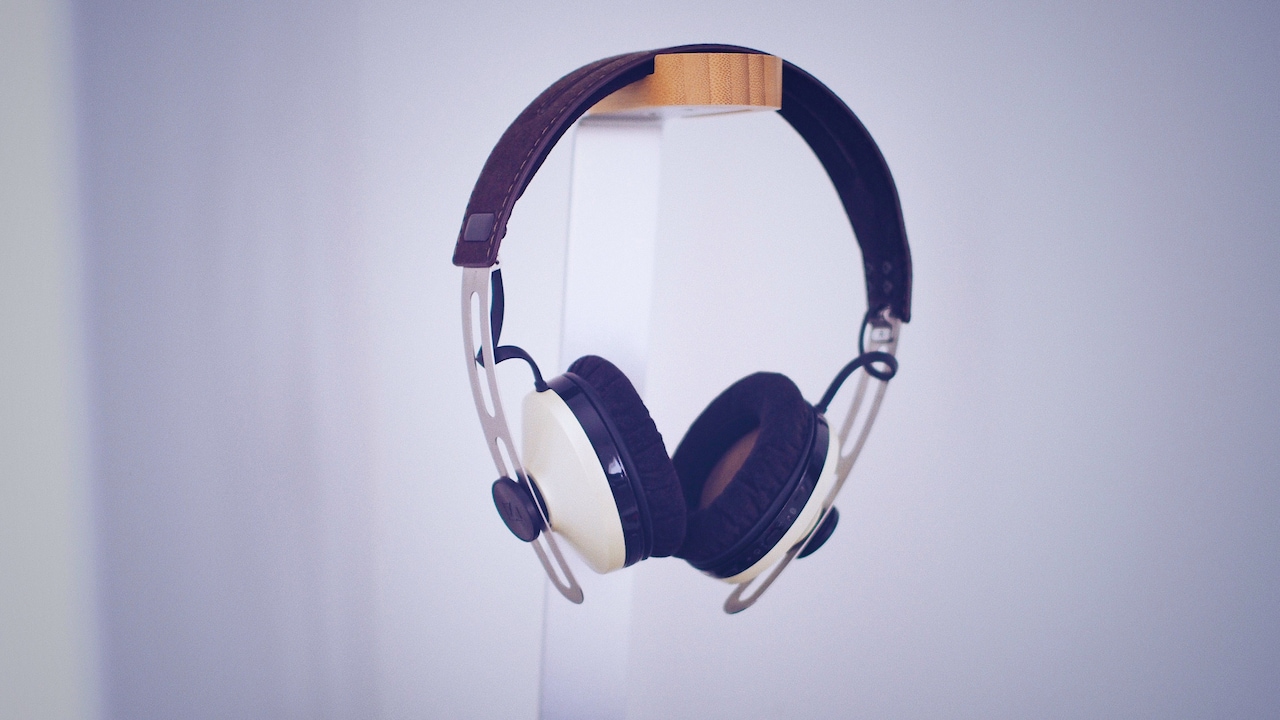
Cushions touch the skin for the entire call, so their material deserves attention. Faux leather looks smart and blocks some outside noise, but it can trap heat. Fabric and mesh cushions breathe better, though they may allow more sound to leak in and out. Memory foam often feels soft, but poor-quality foam flattens quickly and loses support.
For daily calls, the best cushion balances softness with structure. It should sink slightly without collapsing. If the foam flattens within weeks, the hard plastic underneath starts pressing against the ear. That turns comfort into a countdown.
Weather also matters. During humid months, leatherette cushions can feel sticky, especially without air conditioning. Fabric pads suit longer sessions in warmer rooms, while leatherette may suit shorter calls in noisy spaces. Replacement cushions also deserve a look. If a ₹3,000 headset needs new pads every few months and replacements cost too much, the deal loses its shine. Comfortable cushions should feel like a sofa, not a plastic chair at a railway platform.
Headband Padding Matters More Than Looks
The headband rarely gets glamour shots, yet it carries much of the weight. A thin, hard headband can create a sore spot at the top of the head. At first, the feeling seems mild. After a long strategy call, it can feel like someone balanced a steel ruler on the scalp.
Wide padding spreads weight better. Soft padding helps, but shape matters too. A headband with a broad contact area reduces pressure and suits people who wear headphones through the workday. Some headbands use a suspended strap design, which rests lightly and adjusts to the head shape. These can feel excellent for long calls when the build quality stays firm.
Hair also changes the fit. Thick hair, tied hair, or oil after a morning champi can affect how the band sits. A slippery band may keep shifting, while a narrow one may dig in. Before choosing a headset for long sessions, check whether the band stays comfortable without constant repositioning. Good headphones should let the conversation take centre stage, not the scalp.
Weight Should Disappear During The Call
Weight sounds simple, but comfort depends on how the headset carries it. A light headset usually helps, yet even heavier headphones can feel fine when they distribute weight well. The trouble begins when all the weight pulls from one point or the cups feel bulky near the jaw.
For office calls, online teaching, and long study sessions, aim for headphones that almost disappear once the conversation begins. Anything that constantly reminds the head of its presence will grow irritating. A difference of 50 grams may not sound dramatic, but after two hours, the neck may disagree.
Wireless models often weigh more because of batteries. Wired models can feel lighter, though thick cables may tug if they hang awkwardly. Foldable designs sometimes add hinges that create uneven weight or creaking sounds. Comfort comes from balance, not only numbers on a product page. A headset should sit steady when you lean forward to type, reach for chai, or turn towards someone asking, “Lunch mein kya banega?”
Glasses Need Special Attention
Spectacles change the headphone experience completely. A cushion that feels soft on bare skin can press the spectacle arms into the temples. This pressure can cause headaches, red marks, and a quiet rage that no amount of noise cancellation can fix.
People who wear glasses should choose headphones with softer side cushions and moderate clamp force. Thick, stiff pads often create a pressure tunnel around the glasses. Plush memory foam or fabric pads can bend around the frame more gently. Slim spectacle arms also help, though nobody should need to change eyewear just to survive a quarterly review call.
Try wearing the headset with your usual glasses before deciding. Sunglasses do not count unless those are what you wear at the desk. Notice the pressure behind the ears and near the temples. During a long call, even a small pinch grows louder than the person speaking. Comfort for glasses users needs planning, not luck. The right fit should allow clear hearing without turning the frame into a mini torture device.
Heat Build-Up Can Ruin Good Sound
Many headphones sound lovely but feel like tiny ovens after an hour. Heat build-up happens when ear cups trap warmth and moisture. Closed-back designs, thick cushions, and leatherette pads often increase this effect. In cooler rooms, the warmth may feel cosy. In May, during a power cut, it feels like a punishment.
Breathability matters for anyone who takes back-to-back calls. Fabric pads, mesh designs, and slightly larger ear cups help the ears stay cooler. Some users prefer on-ear headphones for airflow, but these can press directly on the ear. Others choose lightweight over-ear models with softer cushions. The right answer depends on room temperature, call length, and personal tolerance.
Noise isolation also plays a role. Strong sealing helps block fan noise, traffic, and neighbourhood drilling, but the same seal can trap heat. Choose based on your daily reality. A headset for a quiet bedroom in Pune need not behave like one for a noisy café in Delhi. Comfort often means accepting the right trade-off.
Headphones That Do Not Hurt After Long Calls: Fit Details To Check; Photo Credit: Pexels
Microphone Position Changes Posture
A microphone may seem unrelated to comfort, but it affects posture. When the mic fails to catch the voice well, people lean forward, raise their chin, or speak louder. After an hour, the neck and shoulders complain. A good mic lets you speak naturally, as though chatting across a table.
Boom microphones usually perform better for calls because they sit closer to the mouth. They also reduce the need to shout over ceiling fans, traffic, or pressure cooker whistles. Built-in microphones can work well, but some struggle in noisy homes. If the other person keeps saying, “Your voice is breaking,” the body often compensates without noticing.
The boom should adjust easily and stay in place. It should not poke the cheek or hover awkwardly near the lips. A flexible mic with a mute button adds convenience, especially during family interruptions, doorbells, or sudden mixer-grinder concerts. Better microphone placement reduces strain, protects posture, and saves everyone from the classic meeting phrase: “Can you hear me now?”
Adjustability Helps Real Heads, Not Catalogue Models
Human heads do not follow one neat factory template. Some people have wider heads, some have smaller ears, some wear turbans, some tie hair high, and some shift between glasses and contact lenses. Adjustability allows headphones to fit real life rather than catalogue photographs.
The sliders should move smoothly and hold their position. Ear cups should swivel enough to match the angle of the jaw and skull. When cups sit flat, pressure spreads evenly. When they sit at the wrong angle, one edge digs in while the other leaks sound. This uneven fit causes both discomfort and poor audio.
Also check whether the headset works well on both small and large head sizes. Many “one size fits all” designs fit only the imaginary person who appears in product ads. Adjustable headphones may not look dramatic, but they make long calls easier. They forgive messy hair, changing posture, and those days when work shifts from desk to sofa to dining table without warning.
Cable And Control Placement Should Stay Out Of The Way
Cables and controls often create hidden discomfort. A heavy cable can pull one ear cup down. An awkward inline remote can bump against the collar. A short wire may force the neck into a strange angle near the laptop. These annoyances seem small until they repeat through every call.
For wired headphones, choose a cable long enough for comfortable movement but not so long that it tangles around the chair. A detachable cable adds value because damaged wires can ruin an otherwise good headset. For wireless models, check button placement. Controls should feel easy to find without pressing the wrong thing and accidentally leaving a meeting just when the boss asks a question.
Touch controls may look modern, but they can misbehave when adjusting the cups. Physical buttons often work better during calls. The best control design stays quiet until needed. Comfort means fewer interruptions, fewer accidental mutes, and no wrestling with a wire while trying to sound professional.
Trial Time Reveals The Truth
Headphones reveal their real character only after time. A five-minute test can judge sound, but comfort needs patience. Wear the headset for at least one full call before trusting it. Notice pressure points, heat, slipping, and whether the ears feel tired afterwards.
A smart purchase also considers return policies, warranty, and spare parts. Many decent models in the ₹2,000 to ₹6,000 range suit daily calls, but comfort varies wildly. Premium models above ₹10,000 may offer better materials, lighter builds, and stronger microphones, yet price never guarantees fit. A costly headset can still pinch like a bargain-bin clip.
Borrowing from a friend or trying a demo unit can help, especially before buying for work-from-home routines. Also listen to the body. Red ears, headaches, and jaw pain signal poor fit, not weak tolerance. The right headphones should support the day quietly. They should not demand bravery, balm, or a fifteen-minute ear recovery break after every meeting.
Products Related To This Article
1. Boat Rockerz 650 Pro, Touch/Swipe Controls, Dolby Audio, 80Hrs Battery
2. Noise Airwave Max 5 Wireless Over-Ear Headphones with Adaptive Hybrid ANC
3. Sony WH-CH520 Wireless Bluetooth Headphones On Ear with Mic
4. pTron Studio Pro w/ 65Hrs Playtime
5. JBL Tune 520BT Wireless On-Ear Headphones with Mic
6. Sony ULT Wear WH-ULT900N Noise Cancellation Wireless Bluetooth Over Ear Headphones
7. boAt Bassheads 900 On Ear Wired Headphone With Mic
Long calls have become part of everyday life, from office reviews and online courses to family chats that begin with “just five minutes” and end after dinner. The right headphones make calls easier, but comfort depends on fit details that many buyers overlook.
Clamp force, cushion material, cup depth, headband padding, weight, heat control, microphone position, adjustability, glasses comfort, and cable placement all shape the experience. Sound quality matters, of course, but even beautiful audio loses charm when the ears ache. A good headset should sit lightly, speak clearly, and let the mind stay on the conversation.
The best choice does not need the flashiest box or the loudest promise. It needs a fit that respects the head, the ears, the weather, and the daily rhythm of work and home. When headphones feel right after a long call, they almost vanish. That quiet comfort may be their finest feature.
(Disclaimer: This article may include references to or features of products and services made available through affiliate marketing campaigns. NDTV Convergence Limited (“NDTV”) strives to maintain editorial independence while participating in such campaigns. NDTV does not assume responsibility for the performance or claims of any featured products or services.)